1.2 Explore a variety of texts
Let's see what the ministère de l'Éducation du Québec (MEQ) says about texts
Using authentic popular, literary, and information-based texts with our students provides a rich linguistic and cultural context for them to learn English, but what exactly do they mean by texts?

1. Before reading
3. After reading
Participant Booklet
Developing Reading Strategies
Taking the time to prepare students before they listen to, view, or read texts is a key step in fostering their success. By integrating good practices—such as explicitly teaching and guiding students through strategies—we help them understand how to approach texts with confidence and purpose. These practices not only support students in navigating new content but also empower them to become more independent in their learning over time.
Explore more about effective ways to teach strategies in an ESL classroom below!
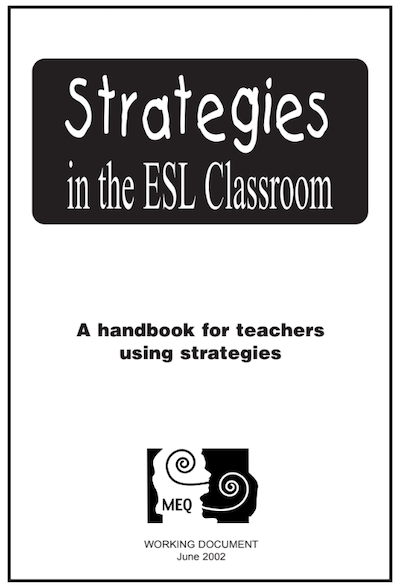
Reference: Strategies in the ESL Classroom, MEQ
Digital Tools
Digital tools can offer teachers a window into students’ metacognitive processes by capturing digital traces of their students' thinking and learning strategies.
By observing these traces, teachers can provide targeted, more meaningful feedback, address misunderstandings, and guide students toward greater self-awareness of their own thinking. This support and reflective process helps students transfer their skills and grow into more independant and successful readers, viewers, and listeners.
Let’s explore how some of the strategies in the our program can be developed and supported through digital technology.
Some good practices include:
- Helping students identify and name strategies they already use, such as inferring, predicting, or scanning;
- Explicitly teaching how to apply these strategies to English texts;
- Offering guided practice with various text types.
Your task
Take a moment to read about each strategy and check out the tips for developing them with digital tools.As you explore, jot down anything you find pertinent in your participant booklet.
Students make intelligent guesses based on all available cues such as context, cognates, known words and expressions, visual clues, contextual cues, intonation, and patterns. Teachers should select various text types that provide clear contextual support to offer practice opportunities to students. To practise this strategy, teachers can model the process of using context clues to guess word meanings or to understand the general ideas in a text.
In written texts, students can guess the meaning of a word by checking the words before and after as well as highlighting the important and/or known words. They can also use a text-to-speech software to listen to the word or sentence in order to help them understand.
In audio texts, students could listen for sounds or the intonation of the narrator which may give cues about the structure of the text and important words or sentences. Students could also listen for known words and cognates to help when they inference the main ideas of the text. Depending on the intention, students could control the audio by pausing or rewinding the track to better understand in order to make guesses.
In video texts, students could combine suggestions from the written and audio text explained earlier as well as analyse the actions and emotional cues.
Accepting not being able to understand everything listened to, watched, or read
Students understand that they don’t need to know all the words read, viewed or said to be able to understand the text, the visual or the speech.
Teachers model how to focus on the overall meaning rather than getting stuck on every unknown word.
This strategy can be developed as students read, view or listen to texts when the tasks are broken down into smaller ones. Document annotations and comments help focus on what is known and reassure students, online dictionaries and thesaurus are tools to help students expand their vocabulary which will develop as they engage with new words.
Skimming a text helps students get the “big picture” and have an idea of the main idea of the text. It needs to be taught and used when it’s pertinent.
There are different ways that students can use to develop their skimming strategy:
- read the beginning or the end of a paragraph;
- look for visual cues like titles, subtitles, and headings, bolded words, charts, graphs, or pictures;
- read the table of contents to get the overall idea;
- highlight important information with annotation tools.
Writing down information needed to retain and possibly reuse information from a written, audio or visual text.
To develop this strategy, students could take notes on paper or use the note taking tools integrated in the browser, site or digital tool. These notes, often called comments, help students keep track of important information they may reuse in the tasks. They can be written, audio, or visual.
Google and Microsoft document and presentation tools offer Integrated comments, dictate, and highlighter features. There are many add-ons available. You may want to ask your Local RÉCIT and/or IT team to know which ones are accepted.
These notes help organize thoughts and can be reused as needed. Taking notes in a graphic organizer can help students know what to look for. These can be made available in online documents or apps and students can work collaboratively to complete them.
With this strategy, students look for specific information without reading, listening or viewing all the text.
When scanning for information in a digital text, students use keywords they think will help them find the information needed. They have different options:
- Use the search option integrated in the page they are reading;
- Right-click, select search in the drop-down menu;
- Use CTRL-F.
Once they find that information, they need to read what is before and after the words to be certain that what they found is what they are looking for. The next step could be to:
- highlight the words;
- use the annotation tool to write a comment;
- rewrite the information in their own words on their paper or digital document;
- Use graphic organizers.
Students make educated guesses about what they are going to read before actually reading it.
Students can answer questions in a digital quiz or an interactive video about the title, pictures and main ideas. Oftentimes, we use the question words (Who, what, when, where, why, how many, how much, etc.)
Using strategies while reading, whether it's a paper or digital text, helps students construct the meaning of what they're reading. Digital tools can also make it easier to manage information overload by supporting reading strategies along the way!